

The most expensive word in finance is “already”
Already ordered. Already committed. Already invoiced. Stampli Procurement puts finance in the spending decision while it’s still a decision.
Every purchase follows the right path
without losing the controls behind it
Requests without
ERP training
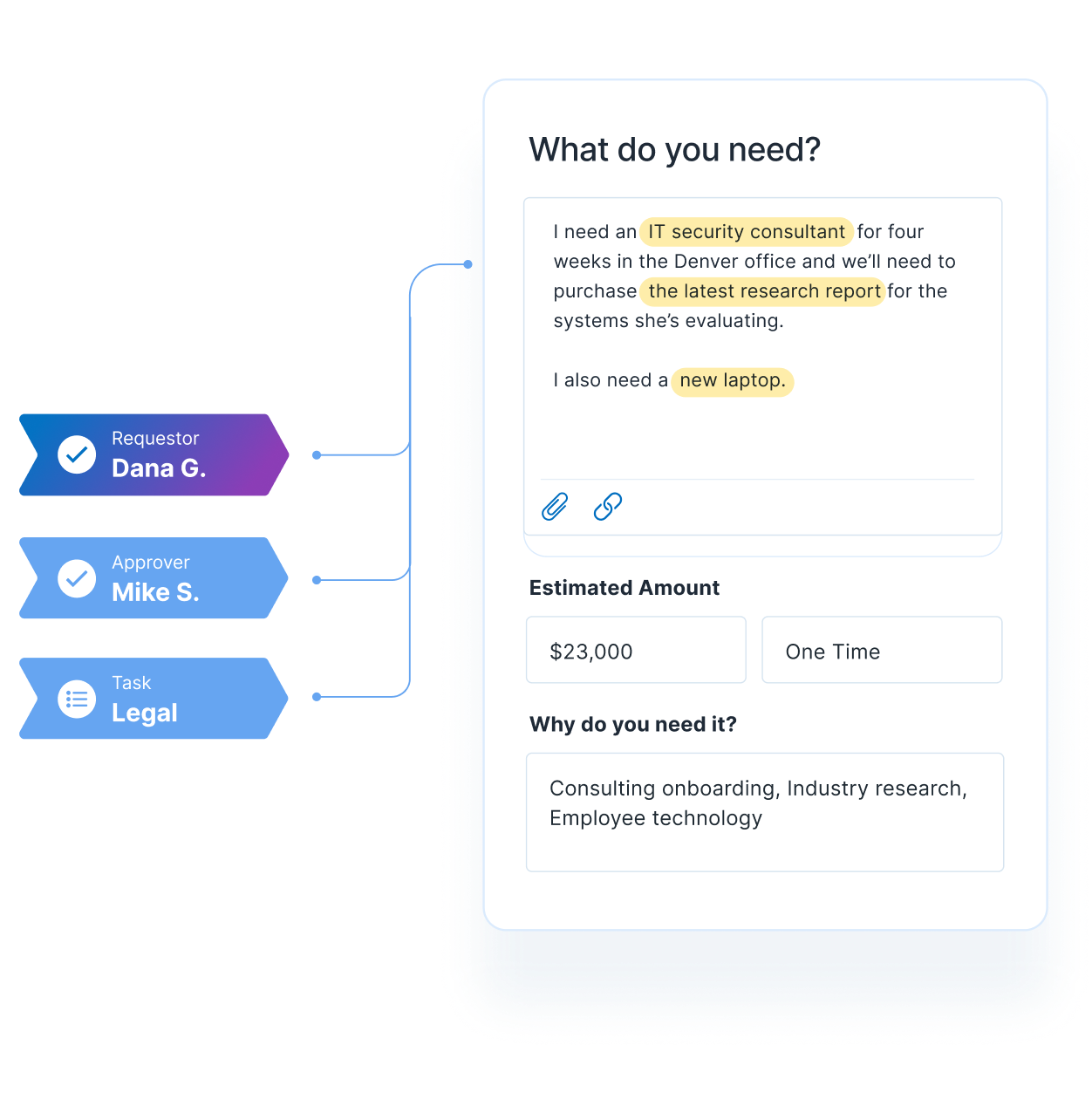
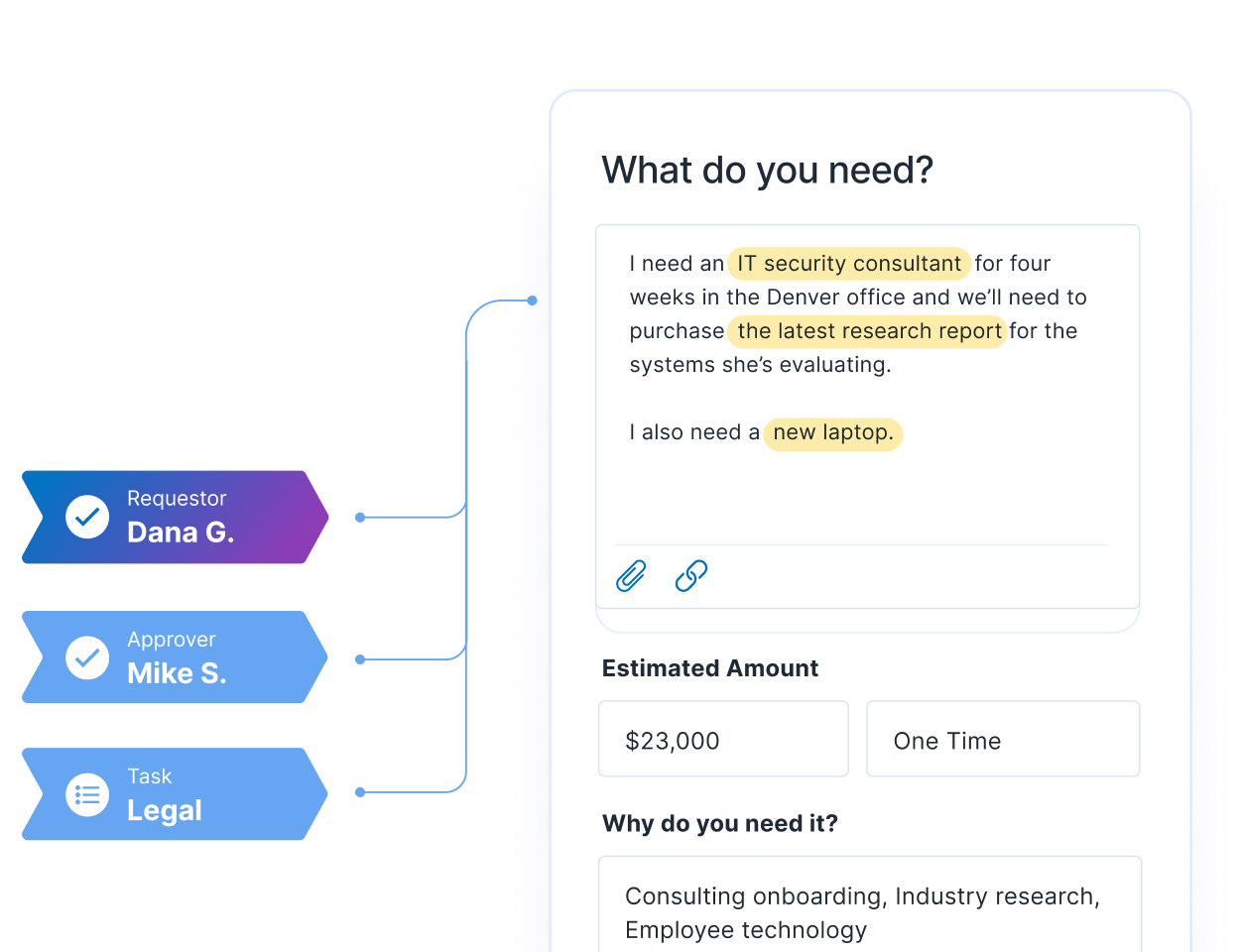
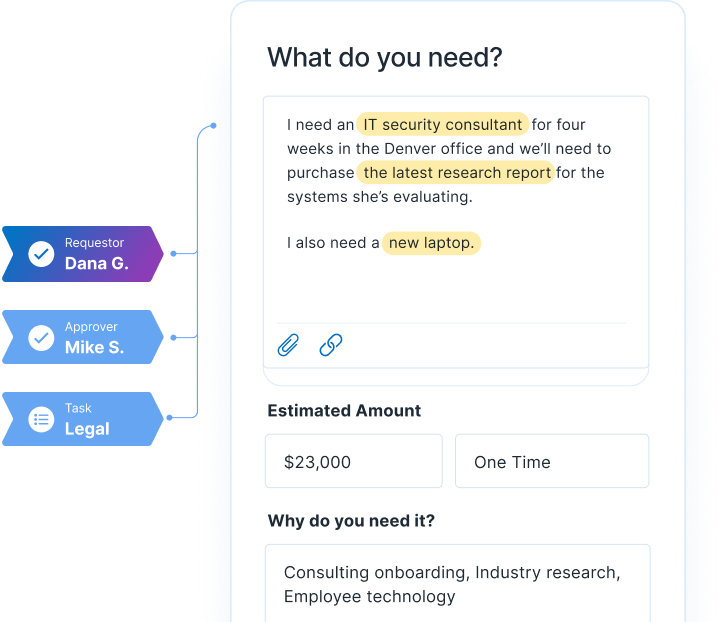
Employees describe or upload what they need. Stampli Intelligence structures the request, fills fields, and surfaces the right policy.
Approvals built around your organization
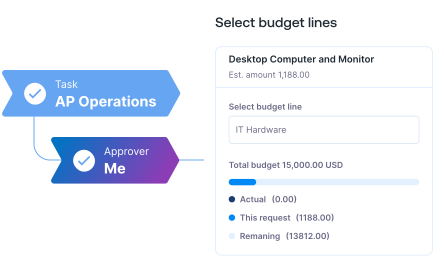
Route by amount, entity, department, vendor, request type, or custom fields—with budget and GL context built in.
Choose the right fulfillment path
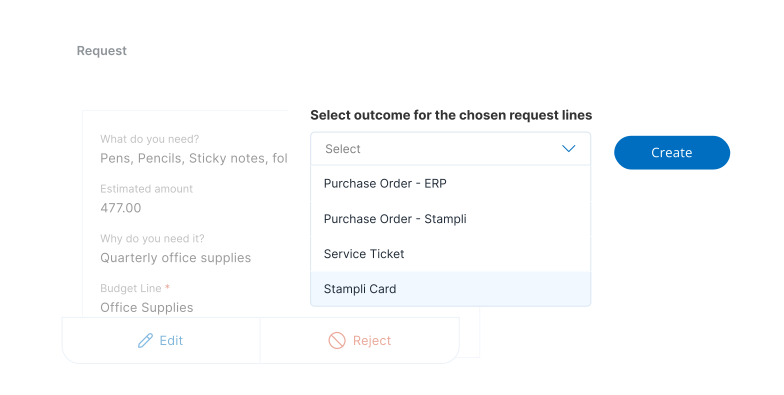
Create an ERP PO, Stampli PO, controlled card, or service ticket without losing the original request or controls.
Catch discrepancies before AP does
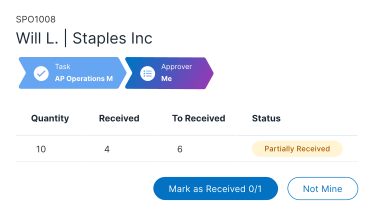
Track receipts against the PO and carry discrepancies into invoice matching before they become payment exceptions.
Stay ERP-aligned through posting
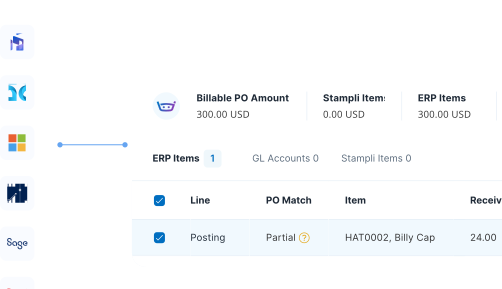
Use ERP vendors, accounts, dimensions, and structures in Stampli, then return completed POs and transactions to the system of record.
Different ways to spend. One finance-ready workflow.
Alden Renewables connects purchase orders to the bills they authorize
By bringing line-level PO details and received quantities from NetSuite into Stampli, Alden can see billed-versus-received discrepancies and link bills to the correct PO without searching across systems.
“The amount of time that saves everyone from trying to figure out which bill belongs to which PO…it just makes everything much, much better.”

Anthony Fernandes
Financial Controller, Alden Renewables
20 minutes
Stampli cutover completed
25×
Boost in AP efficiency
$200K
Annual labor costs avoided
Control without making purchasing
harder for everyone

Make the right process easy
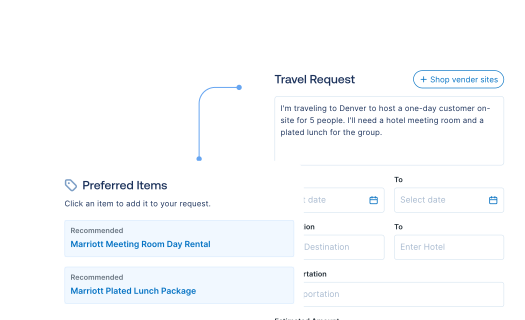
Employees describe what they need. Stampli Intelligence structures the request, surfaces policies and preferred items, and collects the details finance needs.

Give approvers context and flexibility
Approvers see budget impact, GL context, and ownership—and can adjust decisions before money is committed.

Carry every approval forward
Whether it becomes a PO, card, or service ticket, approval context carries through receiving, invoice matching, and payment.
Stampli moves financial control to the point where
purchasing decisions are still being made
Before
Scattered requests. Reactive control.
After
With Stampli Procurement
Requests arrive through email, chat, spreadsheets, and incomplete forms.
Guided requests capture what finance needs while Stampli Intelligence structures the details.
Approvers decide without complete budget, policy, or accounting context.
Budget impact, GL context, policy, and ownership are visible before commitment. Requests, approvals, and targeted card controls shape spend before the transaction.
Purchases follow one rigid process—or scatter across disconnected systems.
Each approval becomes an ERP PO, Stampli PO, controlled card, or service ticket.
Receiving is tracked separately from the original request and PO.
| Receipts stay linked to the request and PO. |
AP reconstructs approvals and purchase history when invoices arrive.
Request, approval, PO, receipt, and invoice context stays connected for matching and exceptions.
Finance sees spend only after invoices arrive or transactions post.
Finance sees requests, commitments, bottlenecks, and PO status while spend is still in motion.
FAQ
What is Stampli Procurement?
Stampli Procurement helps employees submit purchase requests while finance applies budget context, accounting fields, approval ownership, and workflow rules before money is committed. Approved requests can move to the appropriate fulfillment path while their context remains connected to downstream finance work.
What types of purchase requests can teams manage?
Teams can configure request experiences for common goods, software, services, travel, equipment, card-based purchases, and other company-specific needs. Forms and required fields should be tailored to the category, department, amount, and approval process.
How does Stampli help control spend before commitment?
Budget context, required fields, preferred vendors or items, and approval rules can be applied during the request process. This gives finance and approvers more information before a purchase is authorized instead of relying on invoice-stage cleanup.
What can happen after a purchase request is approved?
The approved request can follow the configured fulfillment path, such as an ERP purchase order, a purchase order managed in Stampli, a card workflow, or a service ticket. Only describe outcomes that are enabled for the customer’s deployment.
Can Stampli adapt to our existing approval workflows?
Yes. Teams can configure fixed or dynamic routing based on factors such as request type, amount, department, entity, accounting fields, or exceptions. Ownership and status should remain visible across each handoff.
How do purchase orders and receiving connect to AP?
Purchase-order and receipt context can follow the transaction into invoice processing, where AP reviews coding, matching, approvals, and exceptions. This connection reduces the need to reconstruct the purchasing decision after the invoice arrives.
How does Stampli Procurement work with our ERP?
Stampli uses the organization’s ERP structure and accounting context within the request workflow. Depending on the configured path, approved purchasing data can be prepared for or synchronized with the ERP while the ERP remains the system of record.
How does Stampli AI assist with purchase requests?
Stampli AI can help structure request details, suggest relevant fields or routing, and surface missing information. Employees and approvers still review the request, make the purchasing decision, and remain accountable for approval.